







Wedding photo sharing that guests will actually use
Share one QR code or link so guests can add photos and videos to your private wedding gallery. There’s no app to download or account to create, and you can download them all together after the wedding.
Unlimited Guests, Photos & Videos
“We loved using GuestSnap at our wedding!”
One QR code tocollect them all.
Every guestbecomes a photographer

Relive your event,next day.
No app, no sign up,for your guests.
One QR code tocollect them all.
Every guestbecomes a photographer
Relive your event,next day.
No app, no sign up,for your guests.

“We printed out business cards with our GuestSnap QR code and gave them to our guests. It was easy for our guests to use GuestSnap and most of them uploaded their content the next day. It was great seeing the GuestSnap pictures while we waited several weeks for our professional photos. We highly recommend GuestSnap for weddings and parties!”
Made for wedding weekends
Use one gallery for the ceremony, reception, welcome party, and day-after brunch.
A private gallery that’s easy for guests
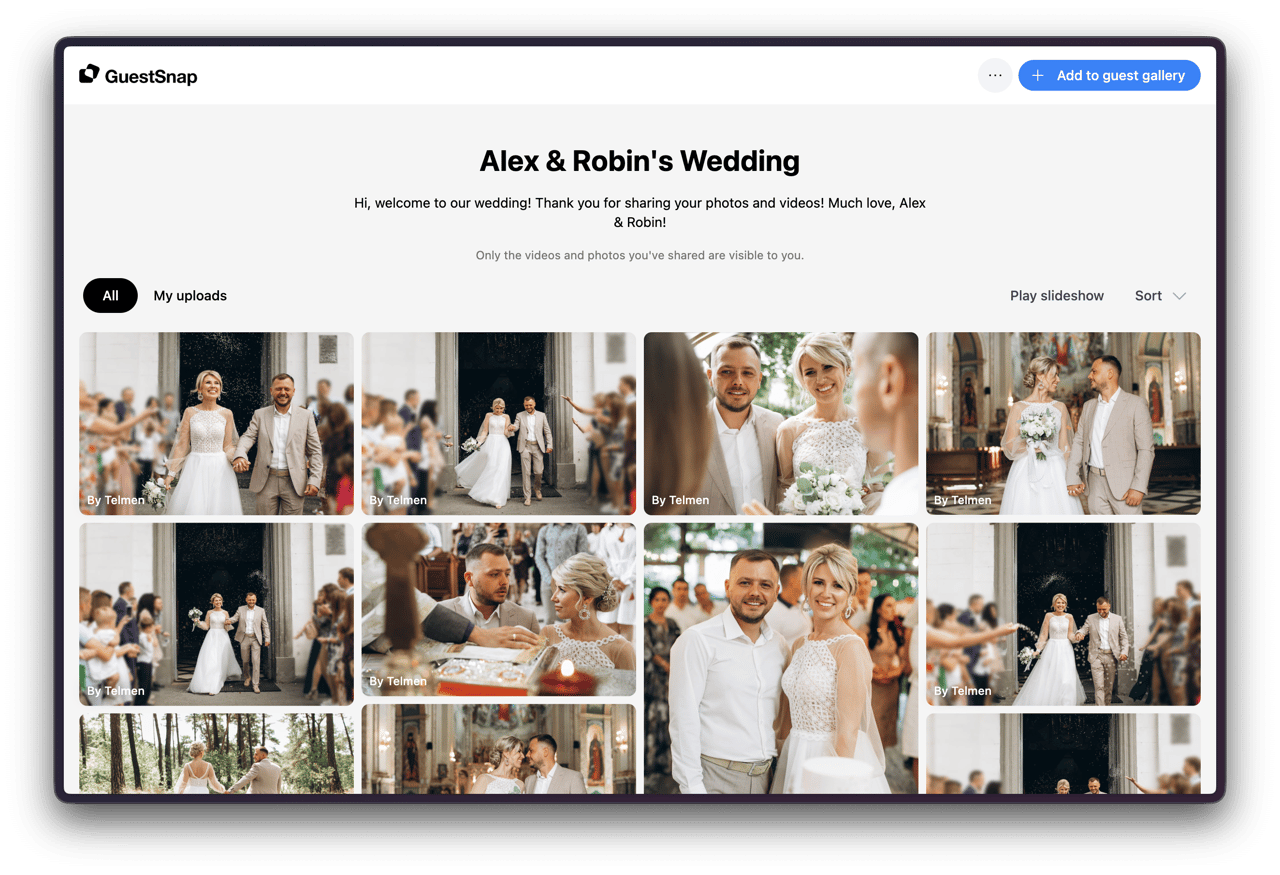
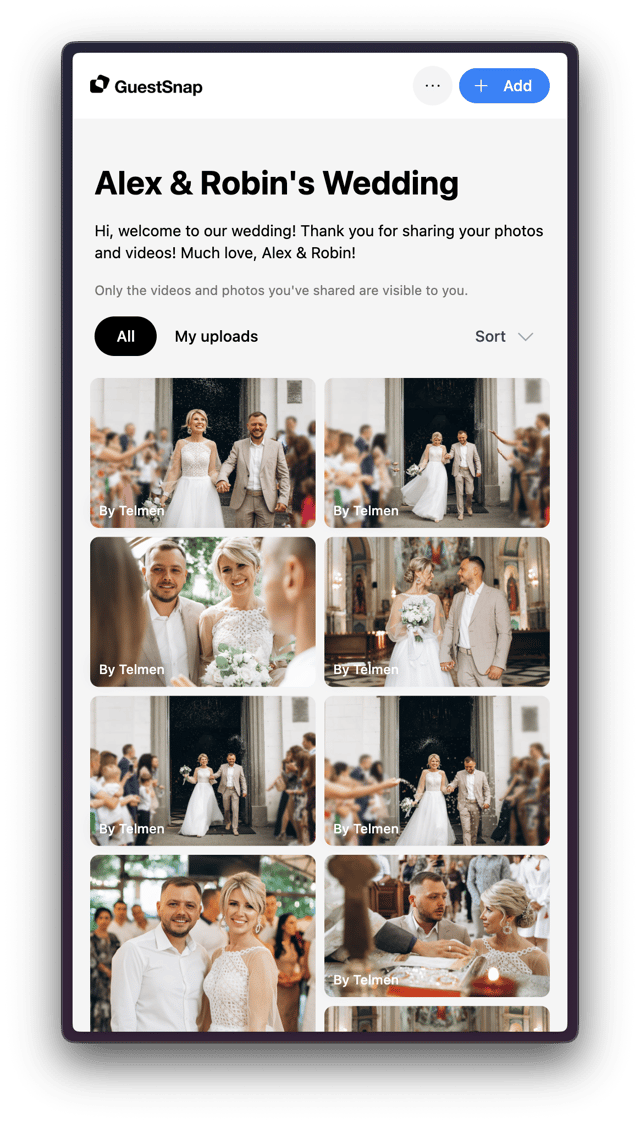
How wedding photo sharing works
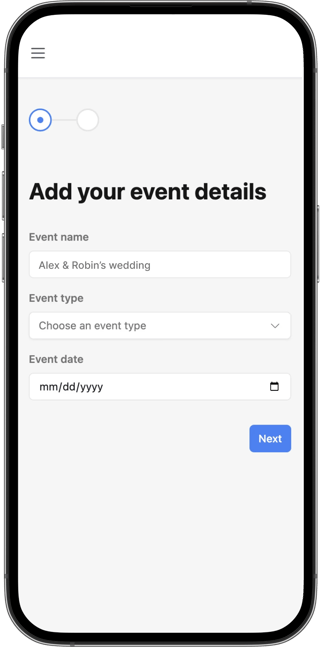
Setup in just 2 minutes
After purchasing a GuestSnap package, set up your event in just 2 steps by adding details such as the date, name and welcome message.
Use one of our beautiful card templates
Select a Canva template that works best for your event, or create your own. Place your unique private QR code.
Check out our free Canva templates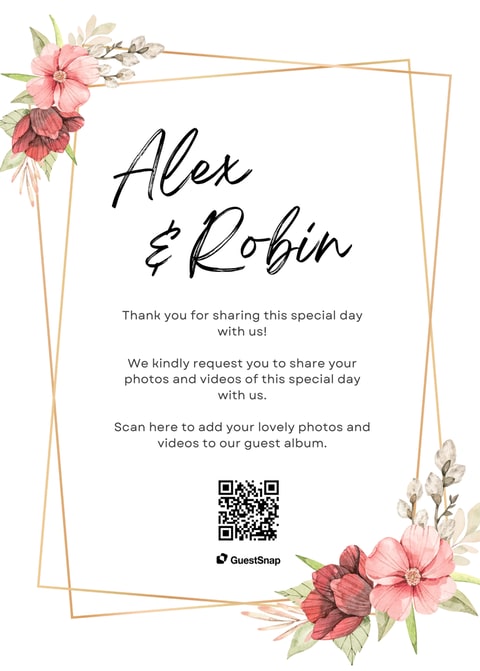
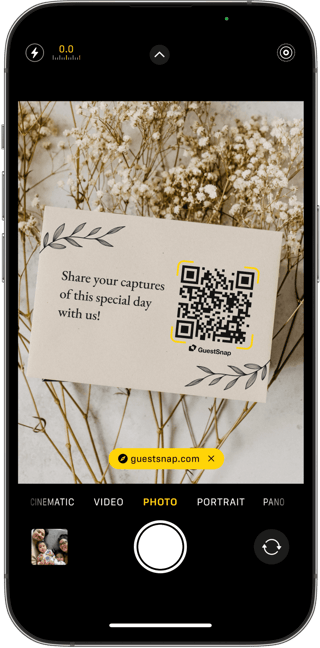
Guests scan and upload, no sign up or app required
Your guests can share their photos and videos to your digital album effortlessly, with no sign up or app needed.
- Share a link through SMS, chat apps, email, and more.
- Guests can upload up to 12 months after the event.
- Guests can email the link to themselves.
- Private album with host-controlled guest viewing.
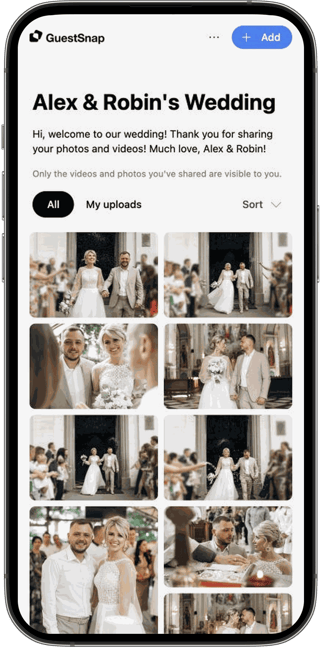
Relive your event the day after
No need to wait for a photographer to finish editing. View photos and videos after guests upload them, on any device.
Before you print
Make it easy for guests to add photos
Before printing signs, decide when the gallery opens, what guests can see, and how you’ll share it. The guides below walk through each step.
If one gallery will cover several wedding events, set its date to the first one, such as the welcome party. Your gallery opens 7 days before that date.
Put the QR code on printed signs and cards. In texts and emails, send the gallery link so guests can simply tap it.
Decide whether guests can see each other’s photos and videos, then make sure your signs match that choice.
Print one sample and scan it with both an iPhone and an Android phone before ordering all your signs. When the gallery opens, test adding a photo before guests arrive.
Simple Pricing
100% money-back guarantee if you decide not to use GuestSnap. We’ll issue a refund under our refund policy.
Unlimited*
Works for any event
$45
Per event
- Private QR Code & link
- Unlimited guests
- Unlimited photos
- Unlimited videos
- Live playable slideshow
- Original high-quality uploads
- Editable Canva templates
- 18 months storage
- Download full album
- Guests can upload for 12 months post-event
*Unlimited uploads are subject to reasonable fair use.
Everything your event needs, already included
No extra app, no guest-count math, no separate slideshow tool, and no chasing files across group chats.
A link guests can actually use
Guests scan the QR code or open the link and upload in their browser, without installing an app or creating an account.
Room for every perspective
One event supports unlimited guests, photos, and videos, subject to reasonable fair use.
Originals stay together
Keep the gallery for 18 months and download the original uploaded files together in the full-album package.
The event toolkit is built in
Editable QR templates, a live photo slideshow, and host-controlled guest viewing are included in the plan.
Trusted by couples and wedding guests
See the candid moments your guests captured while your photographer focused on the big ones.
Wedding photo sharing questions
Most couples ask the same few questions about privacy, how guests add photos, and using the QR code on the wedding day.
Wedding photo-sharing guides
Compare ways to collect guest photos, set up your GuestSnap gallery, and make the QR code easy to notice and use.

How to Collect Wedding Photos From Guests: 6 Easy Ways
Compare wedding photo collection options and use a simple before-during-after plan to gather more guest photos and videos in one place.

How to Use GuestSnap’s Wedding Photo Sharing QR Code
A practical start-to-finish guide to setting up GuestSnap, sharing the code, choosing gallery controls, helping guests upload, and saving the finished album.

5 Wedding Photo QR Code Ideas Guests Will Actually Notice
Turn one wedding photo QR code into a simple guest participation plan with thoughtful placements, clearer prompts, a live slideshow, and an easy follow-up.